
Before you start
- Your school must have an active HKOI Online Judge free trial or subscription. Otherwise, sign up for a free trial first.
- This form can only be submitted by a current School Admin who is a full-time teacher.
- Read the details about subscriptions and fees.
- This form changes licences only. Use the Add or remove School Admin guide for account changes.
Step-by-step
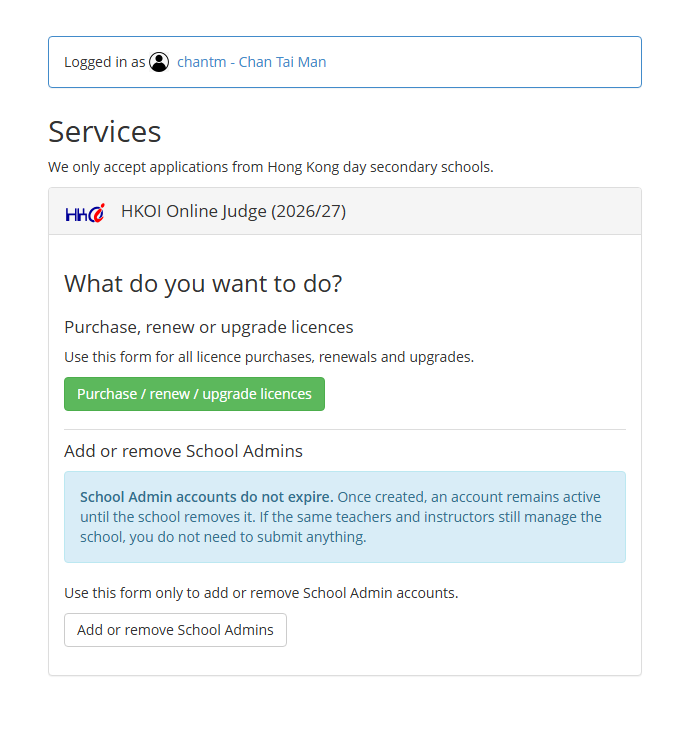
Step 1: Enter the Join HKOI system and log into your School Admin account. Under HKOI Online Judge, choose “Purchase, renew or upgrade licence”.
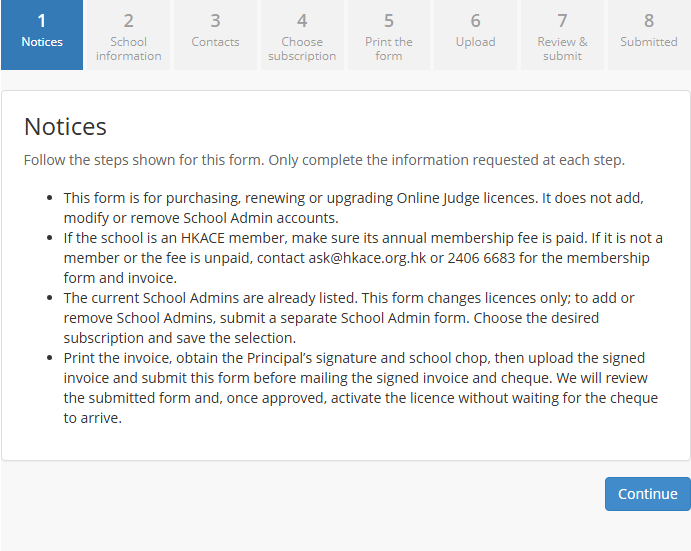
Step 2: Read the Notices, including the licence, membership and payment requirements, then select “Continue”.
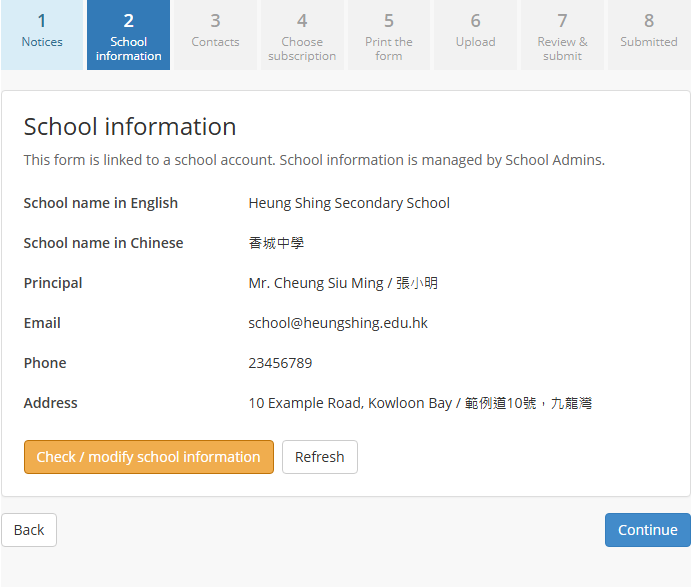
Step 3: School information and Contacts show the linked school and current School Admins as read-only context. To change those records, use the appropriate school-information or School Admin workflow.
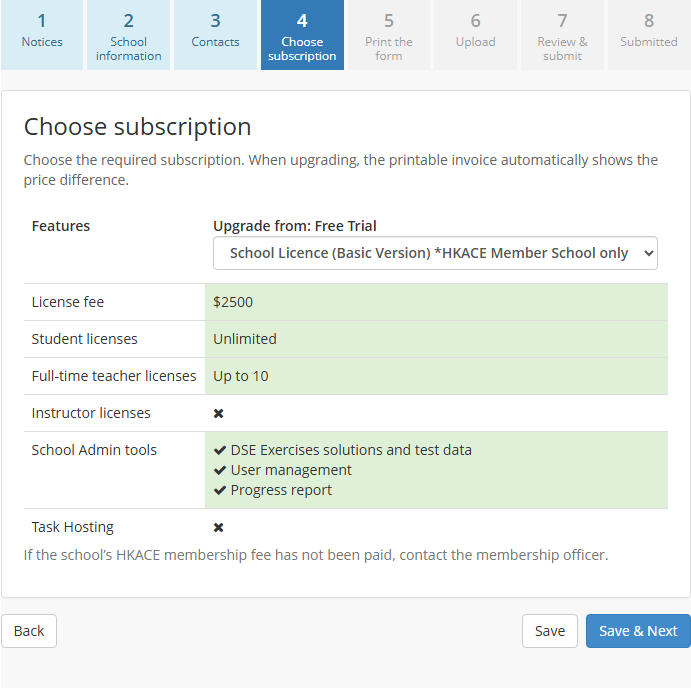
Step 4: On Choose subscription, select the required subscription and review its fee and included features. Select “Save & Next”. When upgrading, the printable invoice automatically shows the price difference.
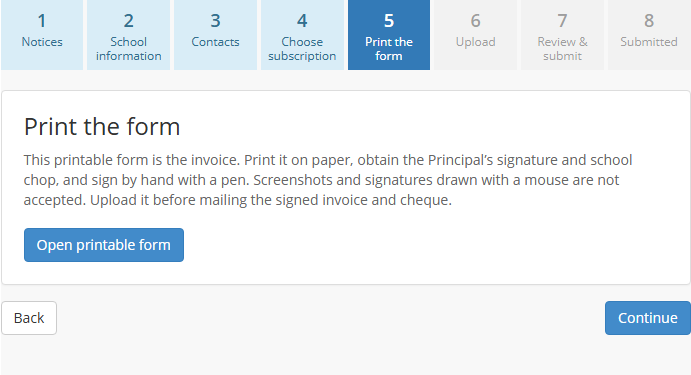
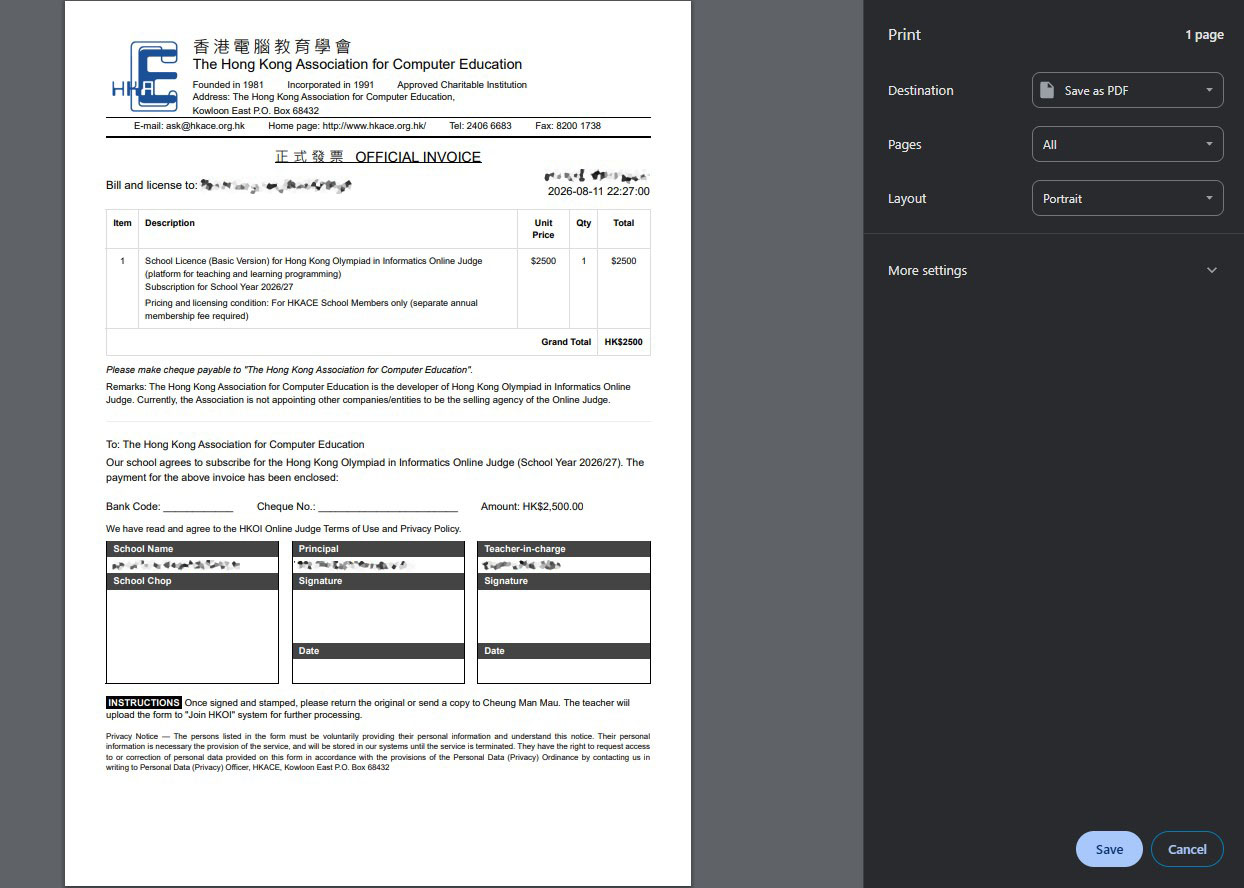
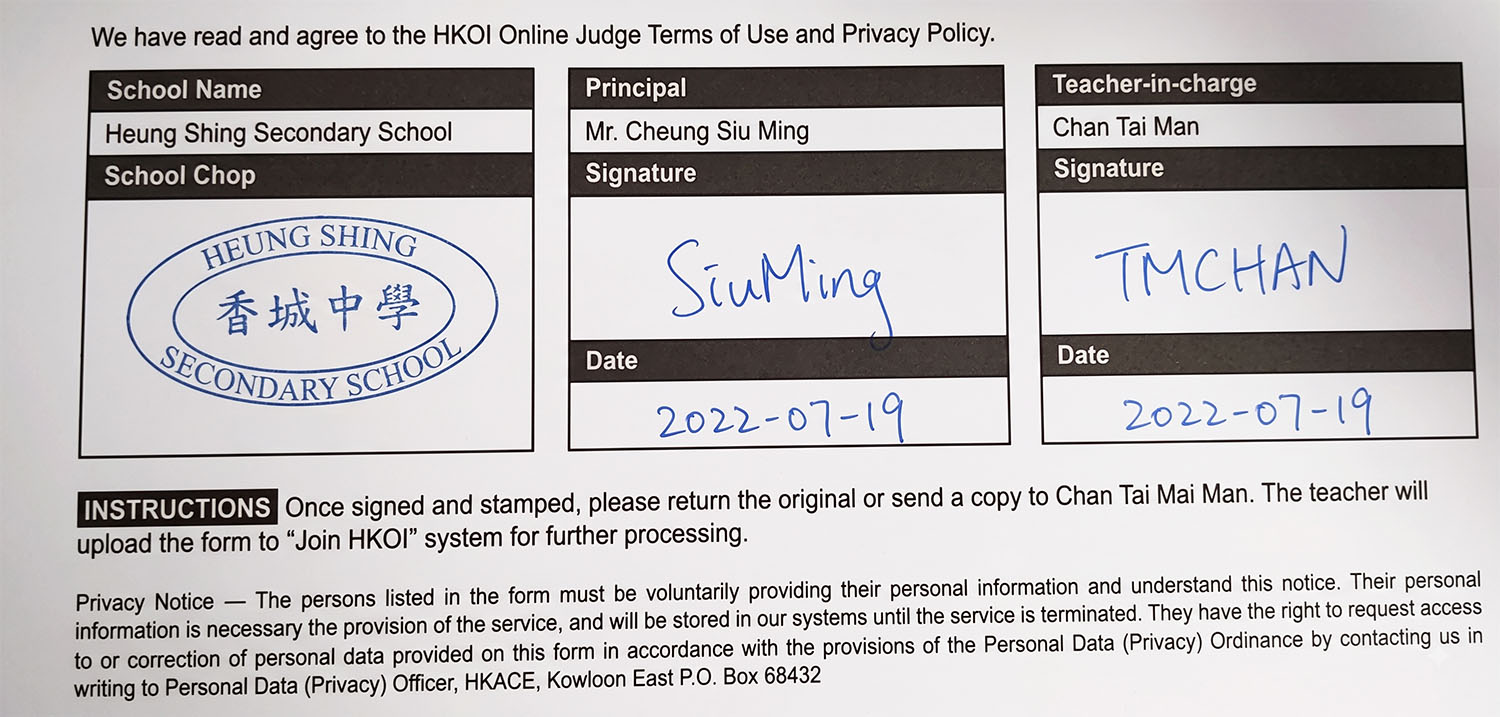
Step 5: On Print the form, select “Open printable form”. This printable form is the invoice. Print it on paper and obtain the Principal’s handwritten signature and school chop.
Printable invoice preview:
Signature and school chop area:
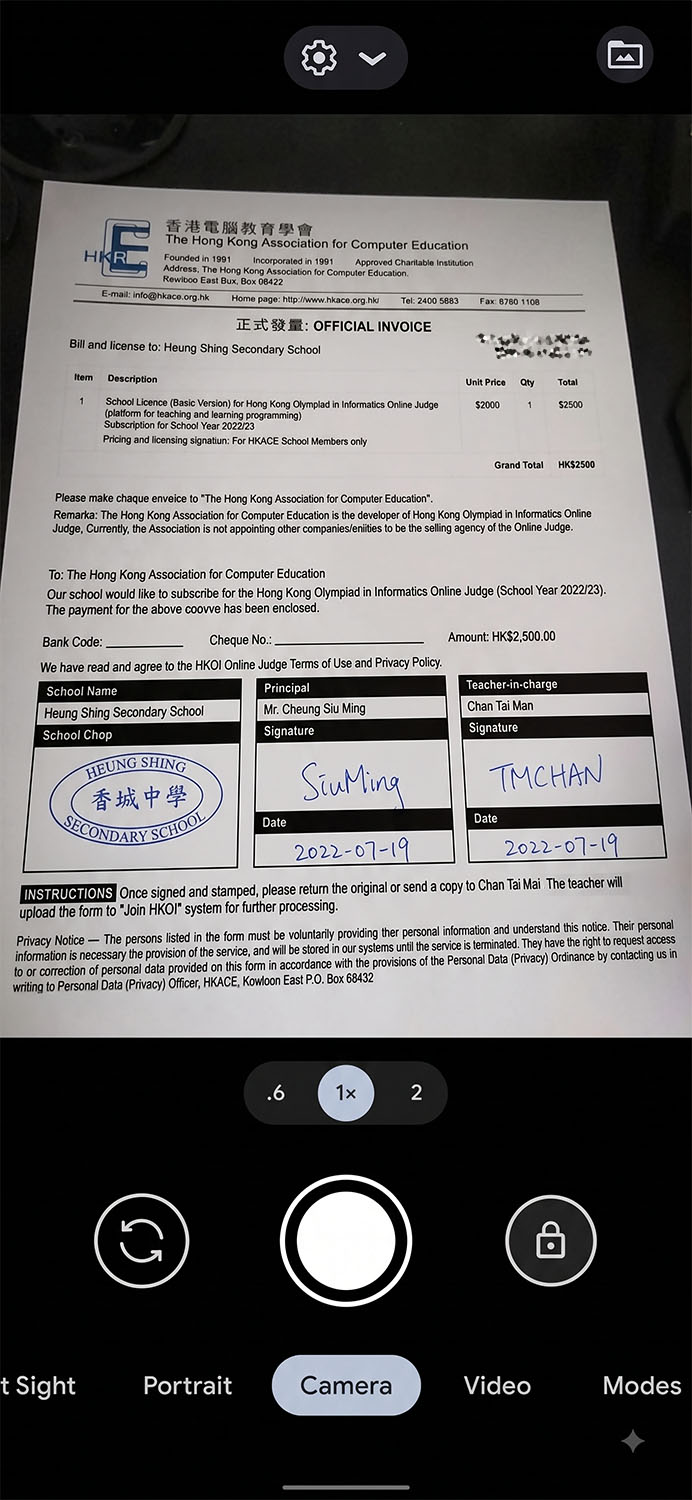
Step 6: Take a clear photo of the signed invoice. Upload it to this same online form and review the preview. On Review & submit, confirm the required declarations and select “Submit application”. Uploading the invoice alone does not submit the form.
Example camera capture:
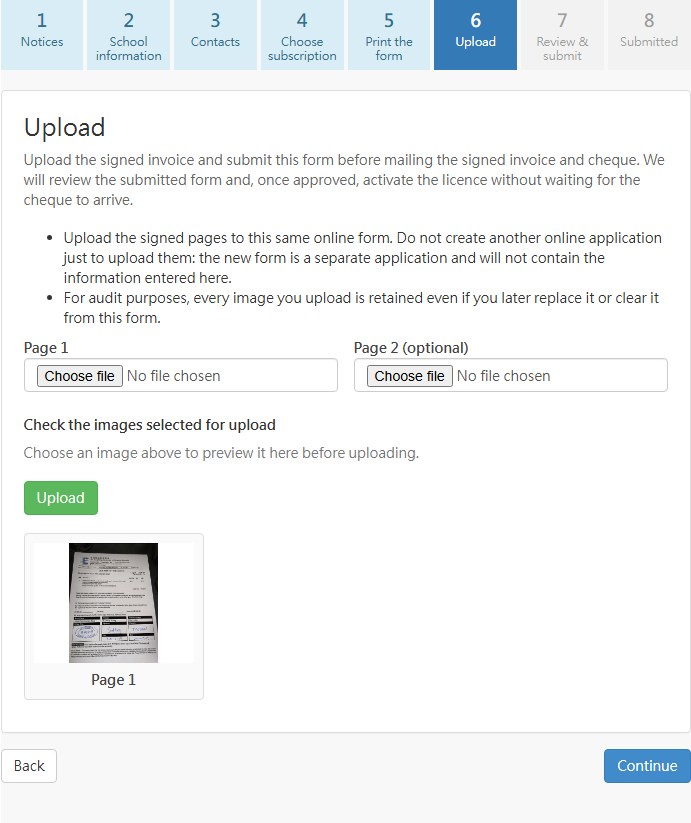
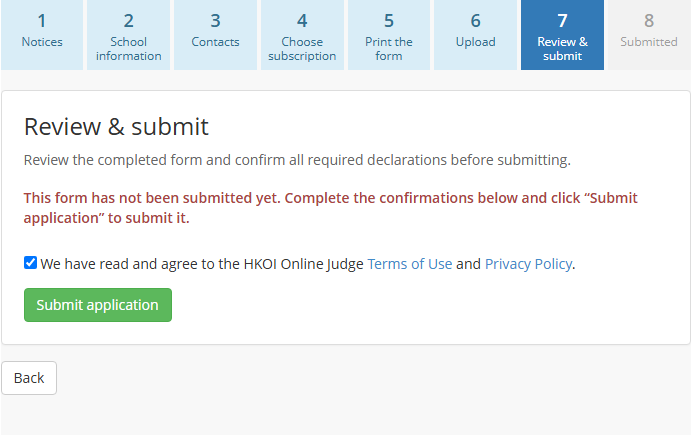
Step 7: After the online form has been submitted, the Submitted stage displays the confirmation and the instructions to mail the signed invoice and cheque. We will review the online form; once approved, the licence will be activated without waiting for the cheque to arrive.
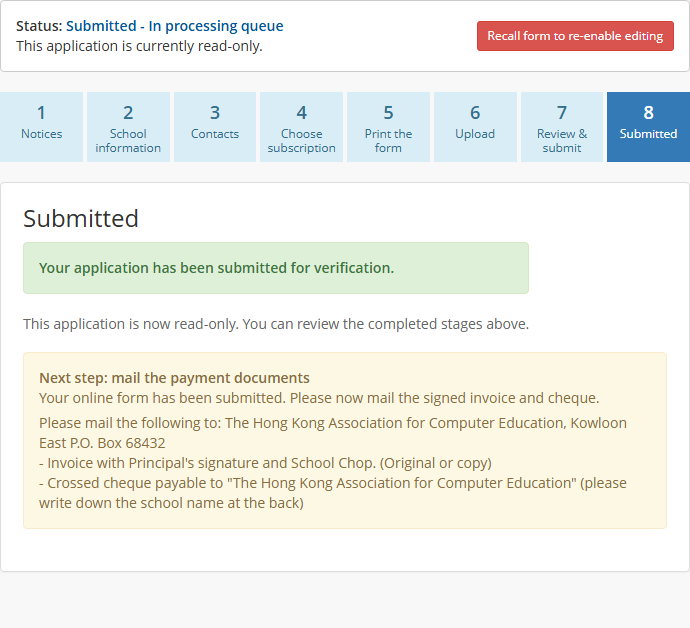
If you selected an HKACE-member subscription and the school is not a member or has not paid the annual membership fee, contact the HKACE membership officer at ask@hkace.org.hk or 2406 6683 for the membership form and invoice.
When the payment is received, the receipt will be mailed to the school.