
The Hong Kong Primary Schools Olympiad in Informatics (HKPSOI) 2026/27 accepts applications only through schools, and is open to all primary school students (Primary 4–6) in Hong Kong. Please contact your school’s teacher-in-charge to apply. There are no application fees; costs are borne by the organizers and sponsors.
Proceed to “Join HKOI” application system
Deadline: 30 November 2026 (Monday) 23:59.
2026/27 Heat Event Dates: A trial event runs from 2 – 4 December 2026, and the Heat Event runs from 7 December (Monday) – 18 December 2026 (Friday) (excluding Saturday and Sunday). For competition format, trial, and support details, refer to the 2026/27 Heat Event page.
Student particulars are not required at the time of application. The list of participating schools will be imported into Edu DynamiX after applications close, and students can then create their Edu DynamiX account on their own. If schools wish to create accounts in batch, please contact Active Learning Solutions Limited via WhatsApp (6656 0769) (refer to the Heat Event page).
Before you start
- This guide covers school applications for the Heat Event of the Hong Kong Primary Schools Olympiad in Informatics (HKPSOI), for Primary 4–6 students in Hong Kong. Participation has no school quota limit and is free of charge, and the online application form is provided in Chinese only. Refer to the competition rules before applying.
- A teacher or school staff member can create a basic form using an email address. A School Admin account is unnecessary. Keep the private form link sent by email.
- Student details are not required in this application. Students participate through the “Edu DynamiX” app (the Heat Event is available in Chinese only) and must enter their full Chinese or English name exactly as shown on their Hong Kong identity card. Do not use nicknames.
- Allow time to print the form on paper, obtain the Principal’s and teacher-in-charge’s handwritten signatures and dates, and the school chop, then photograph it as a clear JPEG image for upload.
- Follow the deadline shown on the online form and finish both uploading and submitting before it. Saving details or uploading an image alone does not submit the application.
Steps
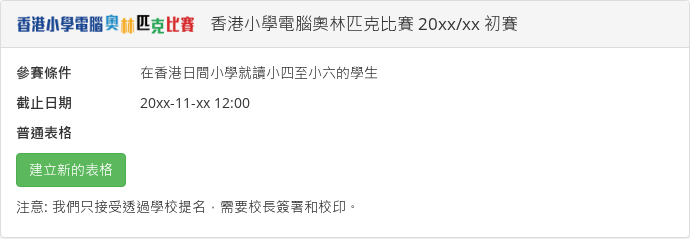
Step 1: Open Join HKOI. Find this year’s “香港小學電腦奧林匹克比賽 … 初賽” (HKPSOI Heat Event) entry and select Create new form (建立新的表格) under Basic form (普通表格). If you are logged in and cannot see this option, log out and return to the page.
Step 2: Enter the teacher’s or school staff member’s email address, complete the verification, and select Send link (發送連結). Check your inbox and open the private link in the email. Anyone holding this link can access the form, so keep it private. Use the same link to resume your application or check its status later.
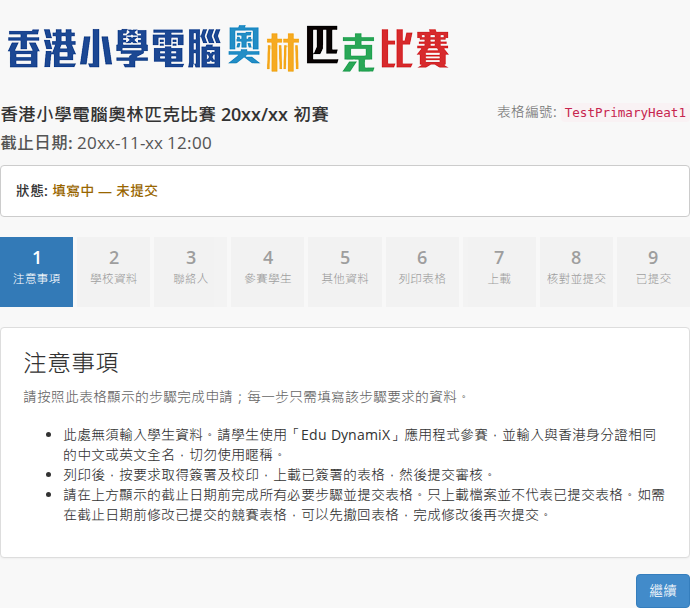
Step 3: On Notices (注意事項), read the instructions about entering information, signing, uploading, and the deadline, then select Continue (繼續). The progress bar shows your current stage; you can return to stages you have already reached to review the information.
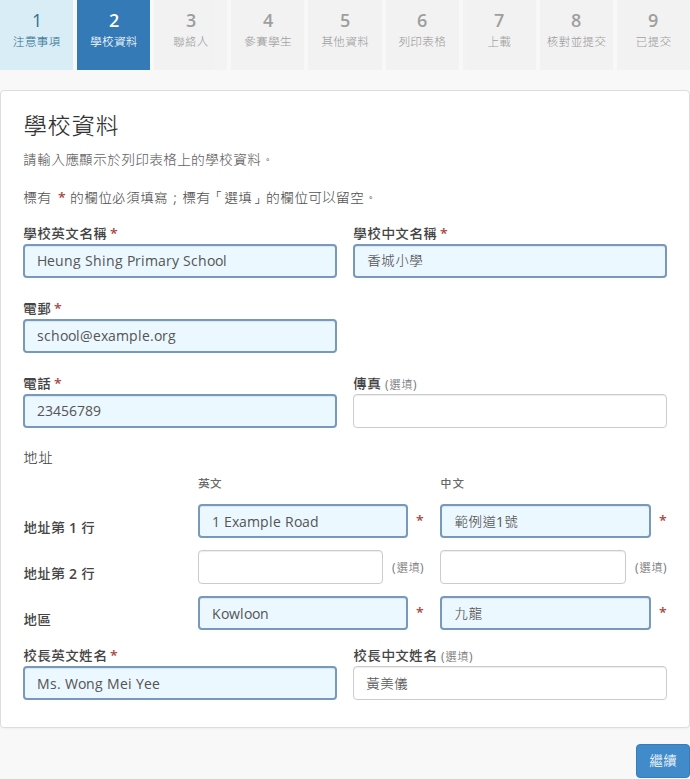
Step 4: On School information (學校資料), enter the school’s English and Chinese names, telephone number, email, addresses, and Principal’s details. Select Continue (繼續). Fields marked * are required; those marked Optional (選填) may be left blank. Each address has three lines, with the district on the third line. Check the school and Principal’s names carefully so that the printed form identifies them correctly.
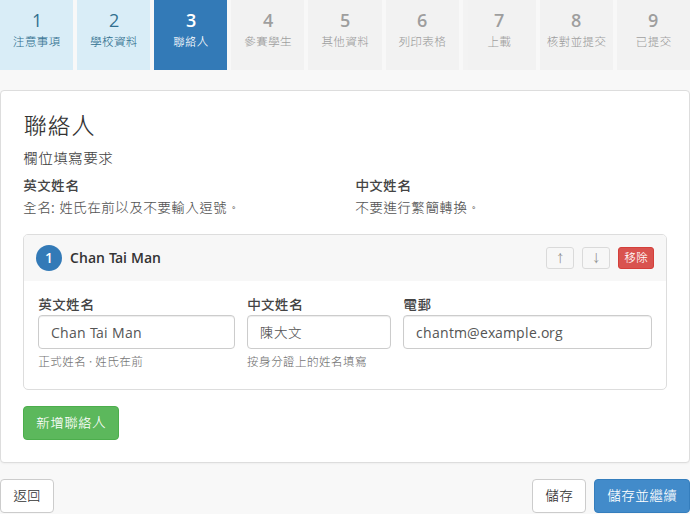
Step 5: On Contacts (聯絡人), select Add contact (新增聯絡人) and enter each responsible teacher’s English name, Chinese name, and email. You may list one to four contacts. The first person is the primary contact and appears as the teacher-in-charge on the printed form. Check the email addresses, then select Save & Continue (儲存並繼續).
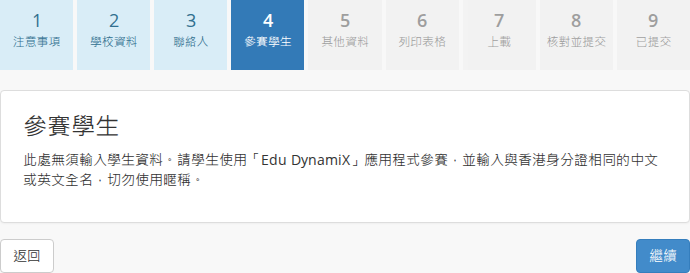
Step 6: On Participants (參賽學生), read the participation instructions. There is no need to enter, upload, or add a student roster here. Remind students to use “Edu DynamiX” and enter their full Chinese or English name exactly as shown on their Hong Kong identity card. Nicknames must not be used. Select Continue (繼續).
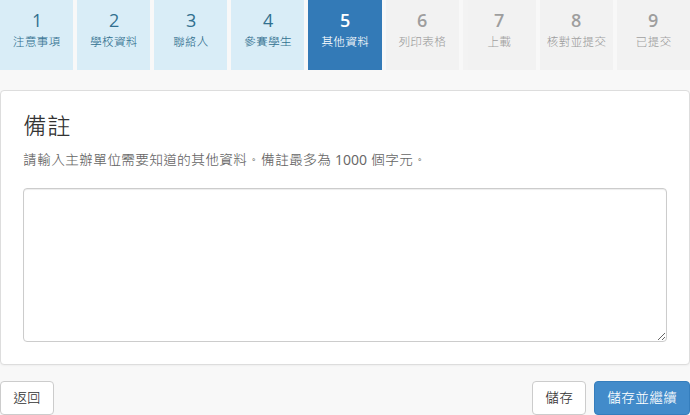
Step 7: On Additional information (其他資料), enter any remarks the organizers should know, then select Save & Continue (儲存並繼續). You may leave this field blank.
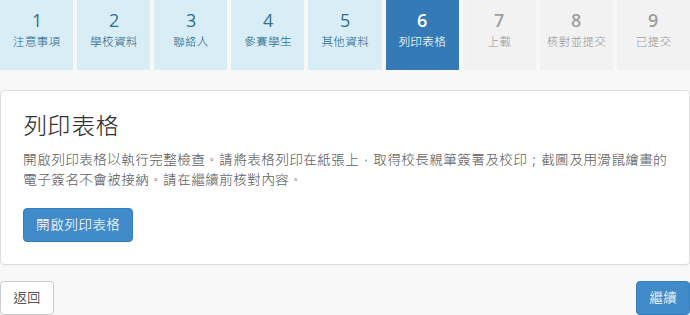
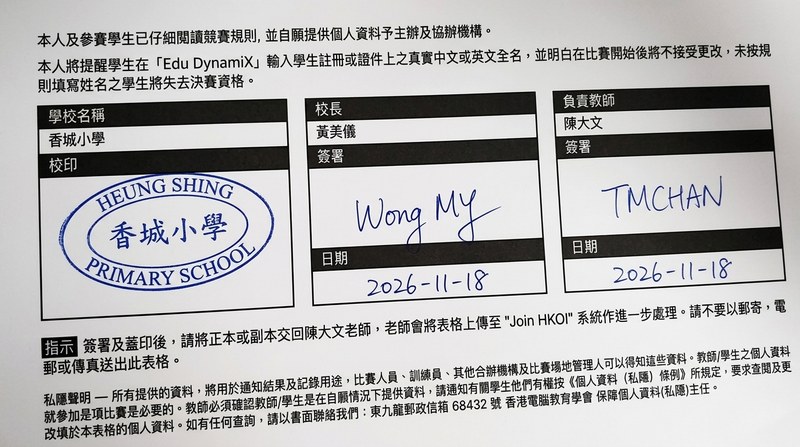
Step 8: On Print the form (列印表格), select Open printable form (開啟列印表格). If the system reports any problems, return to the relevant stages and correct them first. Check the printed contents and print the form on paper. Have the Principal and teacher-in-charge sign by hand and date their respective fields, and affix the school chop in the School chop (校印) field. A screenshot or a signature drawn with a mouse does not replace a handwritten signature on paper. Return to the online form and select Continue (繼續).
Printable form preview (unsigned):
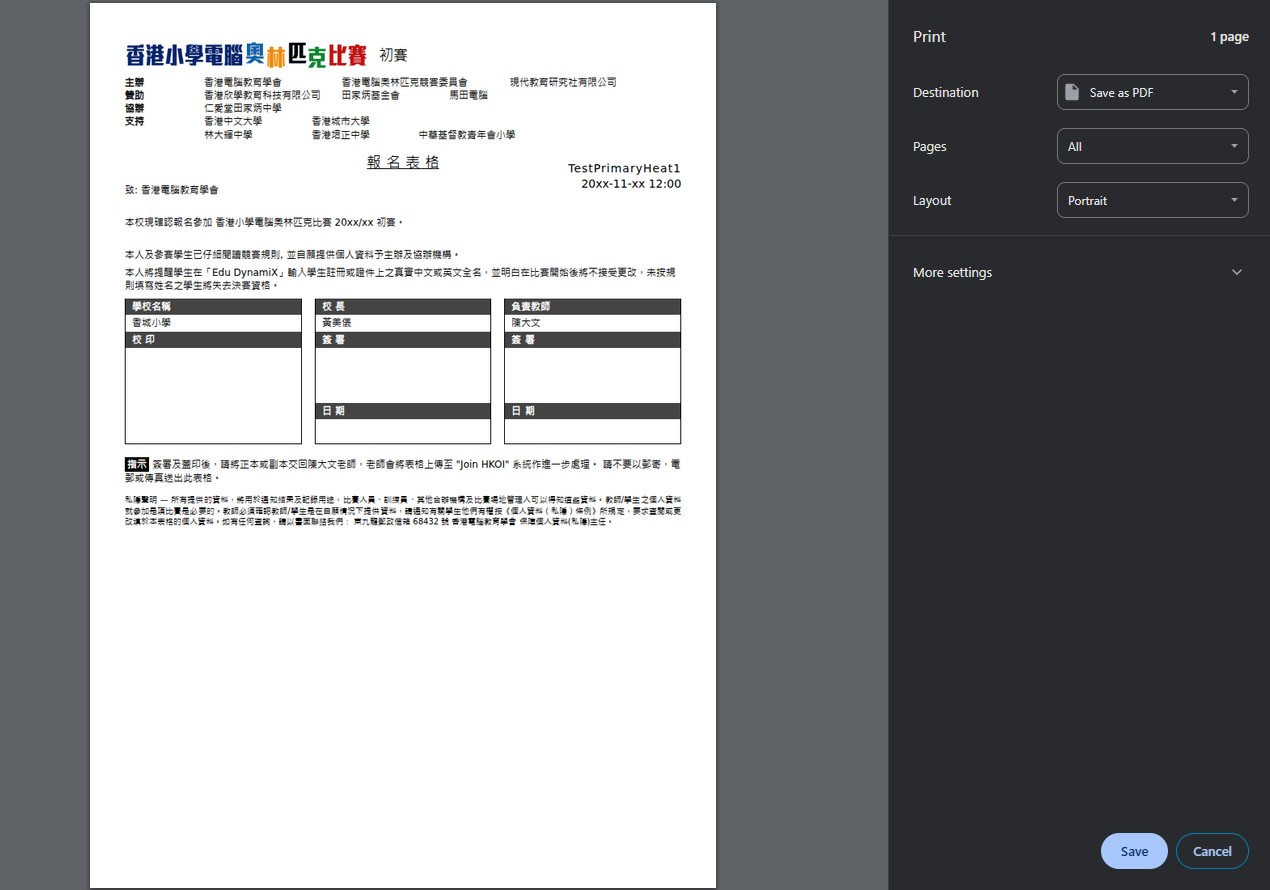
Signature and school chop area (handwritten signatures and dates from both the Principal and teacher-in-charge, plus the school chop, are required):
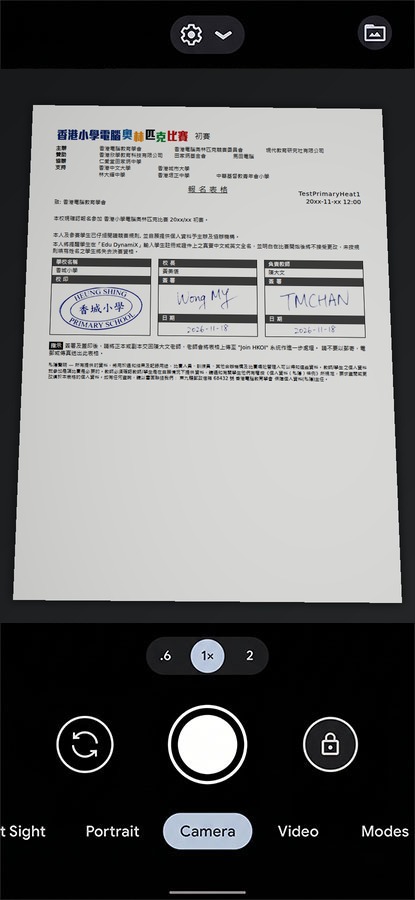
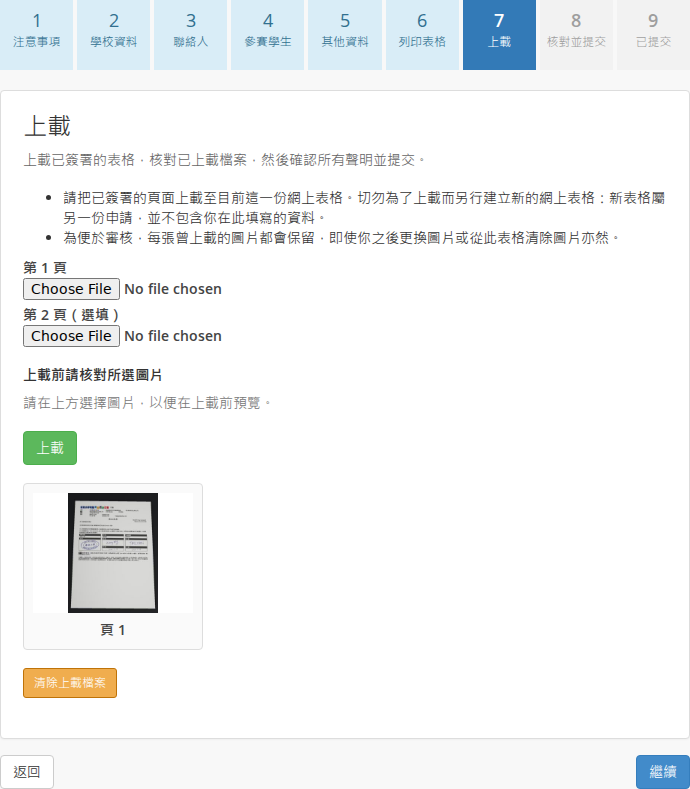
Step 9: Take a clear, complete photograph in which all text, signatures, dates, and the school chop are legible. On Upload (上載), choose the JPEG image, check the preview, and select Upload (上載). Use the second-page field if needed. Upload to this same online form; do not create another application. Once the upload has succeeded, select Continue (繼續).
Example camera capture:
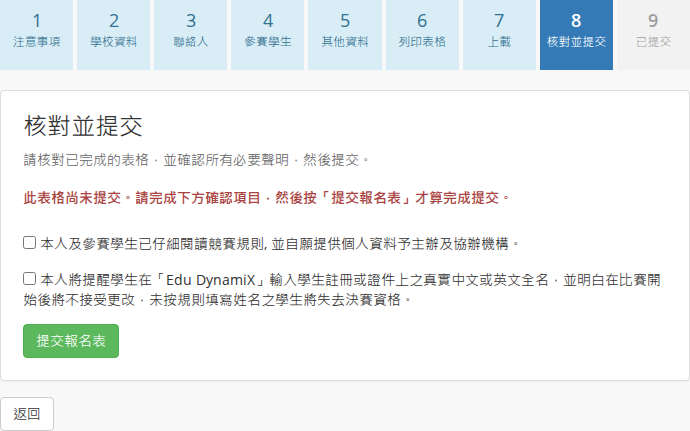
Step 10: On Review and submit (核對並提交), check the information and tick both declarations: that you and the participating students have read the rules and provide personal information voluntarily; and that you will remind students to use their real full names in “Edu DynamiX”, understand that names cannot be changed after the competition starts, and understand that incorrect information may lead to loss of Final Event eligibility. Select Submit application (提交報名表). You must select this button to submit the application.
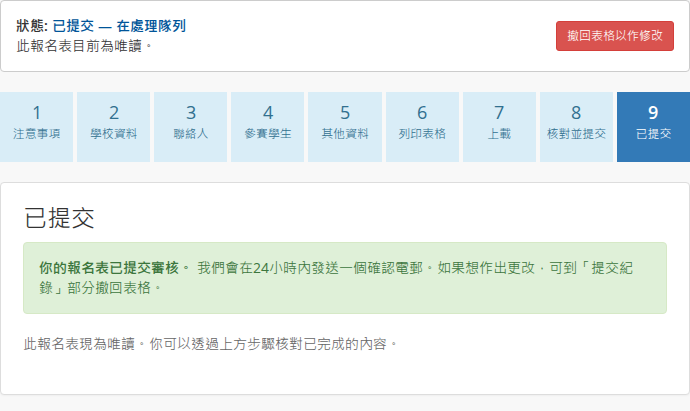
Step 11: After successful submission, the system opens Submitted (已提交), displays confirmation that the application has been submitted for verification, and makes the form read-only. The organizers normally review forms and send a confirmation email within 24 hours. Keep the private link to check your application’s status.
Confirmation and taking part in the Heat Event
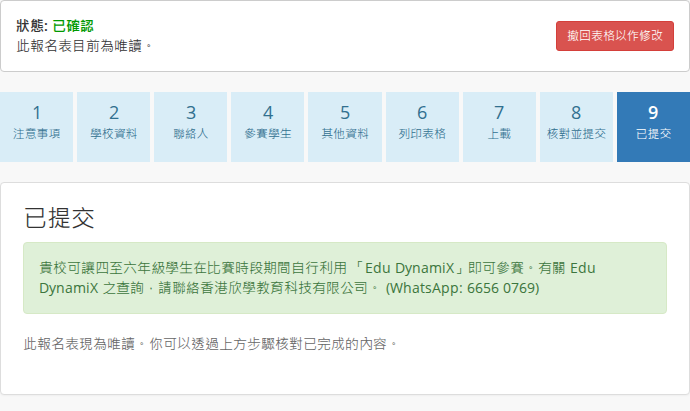
Once approved, the form shows Confirmed (已確認) and instructions for taking part through “Edu DynamiX”. Arrange for Primary 4–6 students to participate in the app during the competition period. Check their real full names in the app before the competition starts. There is no need to return to this application to add student details.
Making changes before the deadline
To amend a submitted application, open it using the original private link and select Recall form to re-enable editing (撤回表格以作修改) before the deadline. The form returns to Upload (上載). If you change information printed on the form, print the updated version and obtain the signatures and school chop again. After recall, you must upload the signed form again, confirm the declarations, and resubmit. Editing and recall are unavailable after the deadline.